
Getting Started as a Creator
Anyone can create characters and become a creator on Backstage Chat, even without joining the Creator Program.How to Get Started
Log in to your Backstage Chat account.
Go to the Create page.
Create a new character.
Publish your character to make it available to other users.
Manage your characters and share them with others.
Managing Your Characters
Creators can manage their characters and continue improving their content after publication.Editing Your Character
Deleting Your Character
Content Protection
Users cannot access all of a creator’s internal character settings or fully reproduce a character using only publicly available information, as Backstage Chat keeps certain settings hidden from regular users to help maintain each character’s personality, behavior, and conversation consistency.Creator Tools
Backstage Chat is expanding its Creator Tools to help creators better manage their characters and understand their performance.Creator Analytics
Creator Profile & Creator Page
Backstage Chat provides two ways for creators to introduce themselves and their characters: Creator Profile and Creator Page.Creator Profile
Your Creator Profile is your personal profile on Backstage Chat, where users can learn more about you and explore the characters you’ve published. Users can access your Creator Profile by tapping your name or profile picture in the Creator section of any of your published characters’ detail pages. Your profile includes an About Me section where you can introduce yourself, along with a Public Characters section displaying your published characters.How to Edit Your Creator Profile
You can customize your profile picture, nickname, pronouns, and About Me to introduce yourself to other users.Open Settings
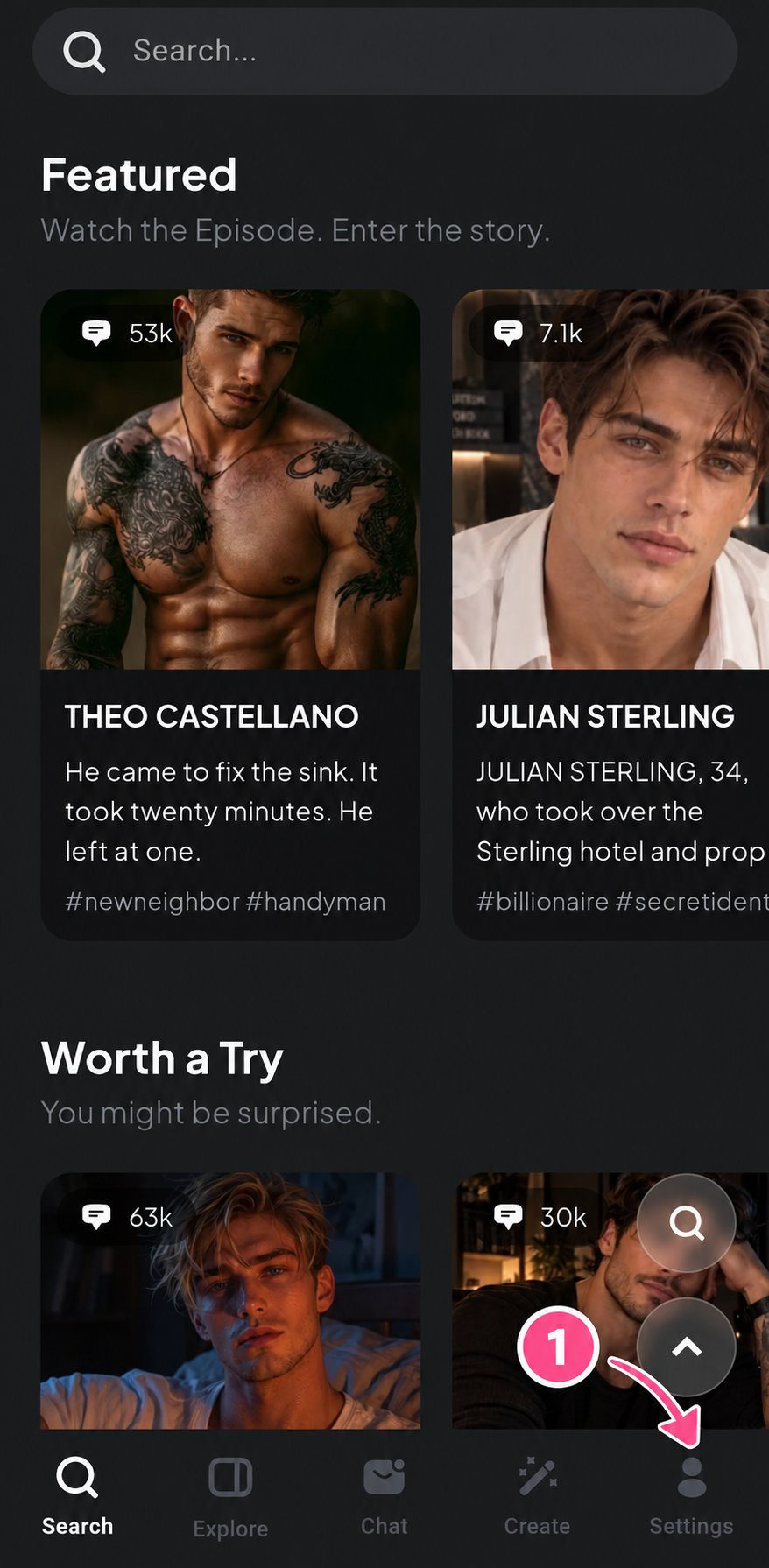
Go to My Profile
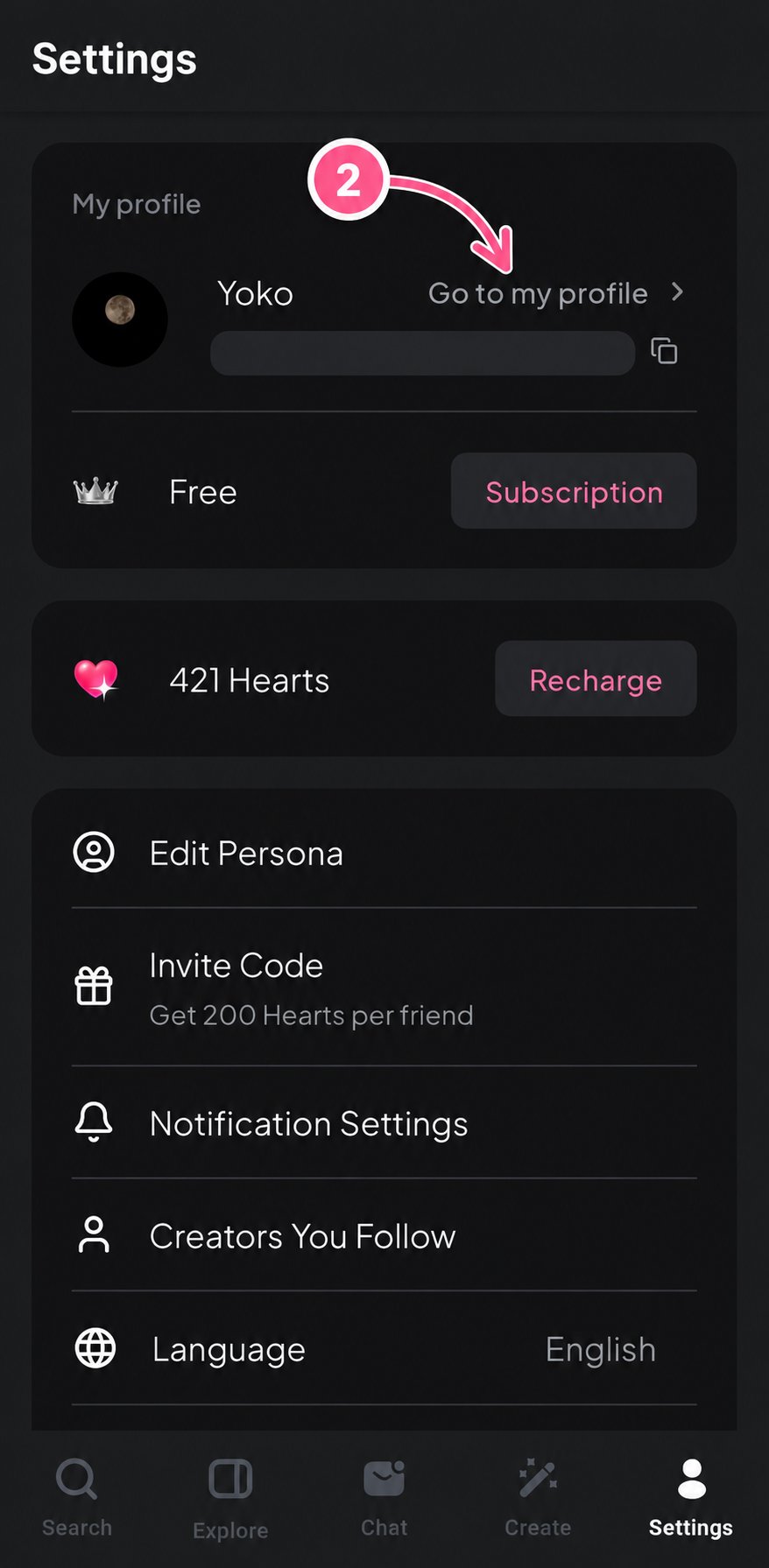
Edit Your Profile
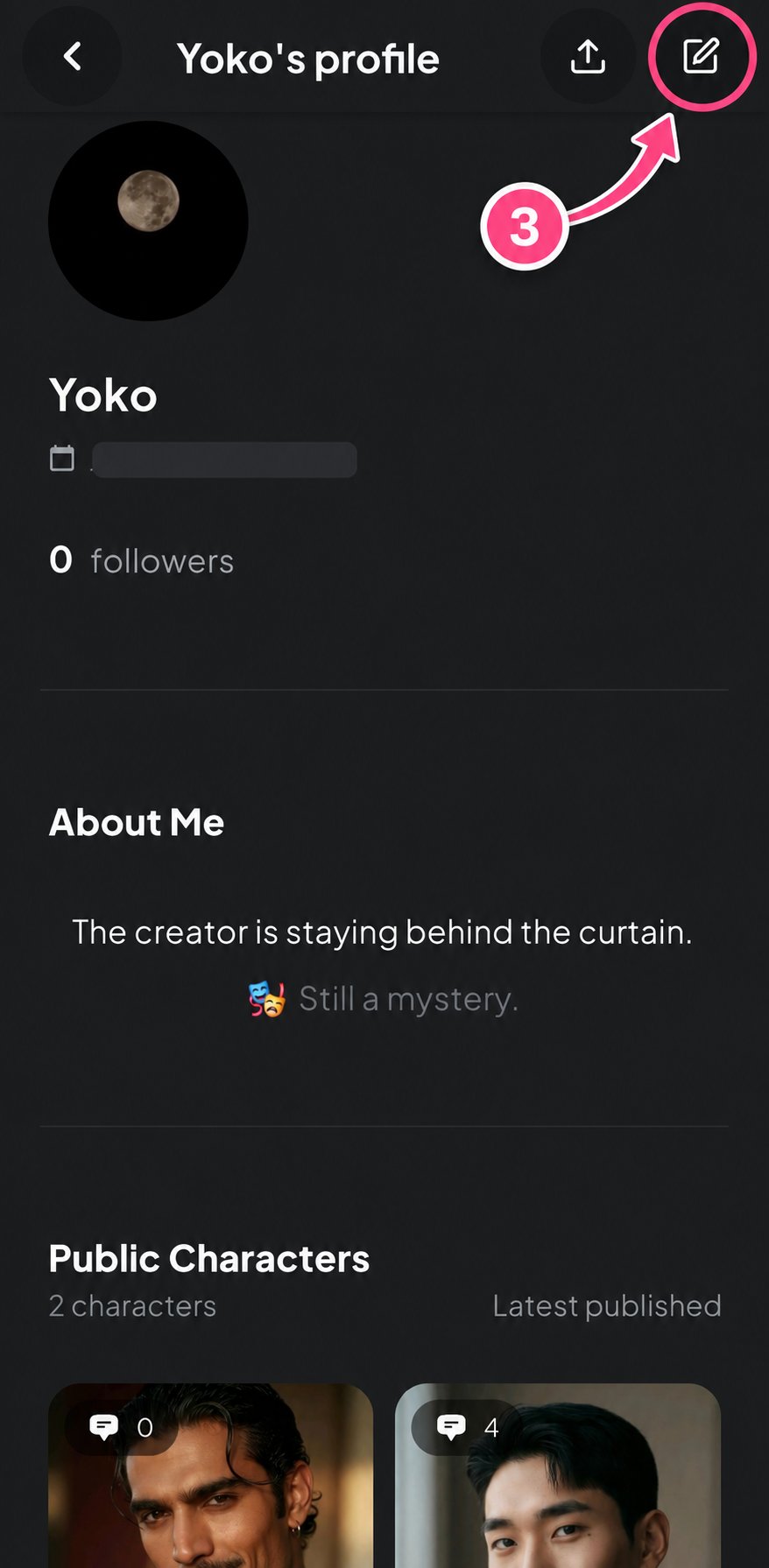
Update Your Information
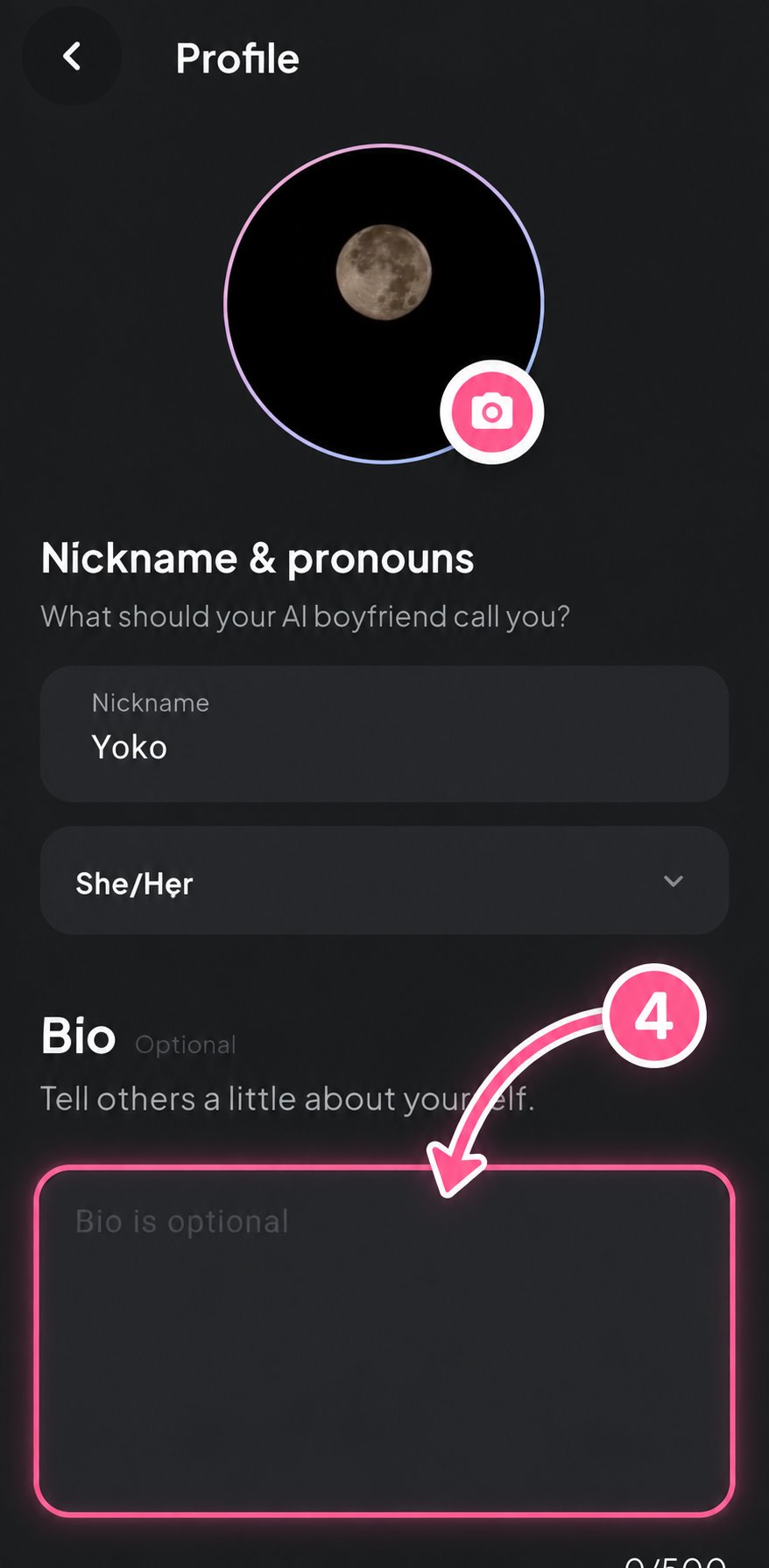
Creator Page
Unlike your Creator Profile, the Creator Page is specific to each character you publish. When creating a character, you can leave a message or description for users in the character’s Creator Page. This information is displayed separately on that character’s detail page, allowing you to introduce the character or share additional information with users. Each character has its own Creator Page, so the content can be different for every character you create.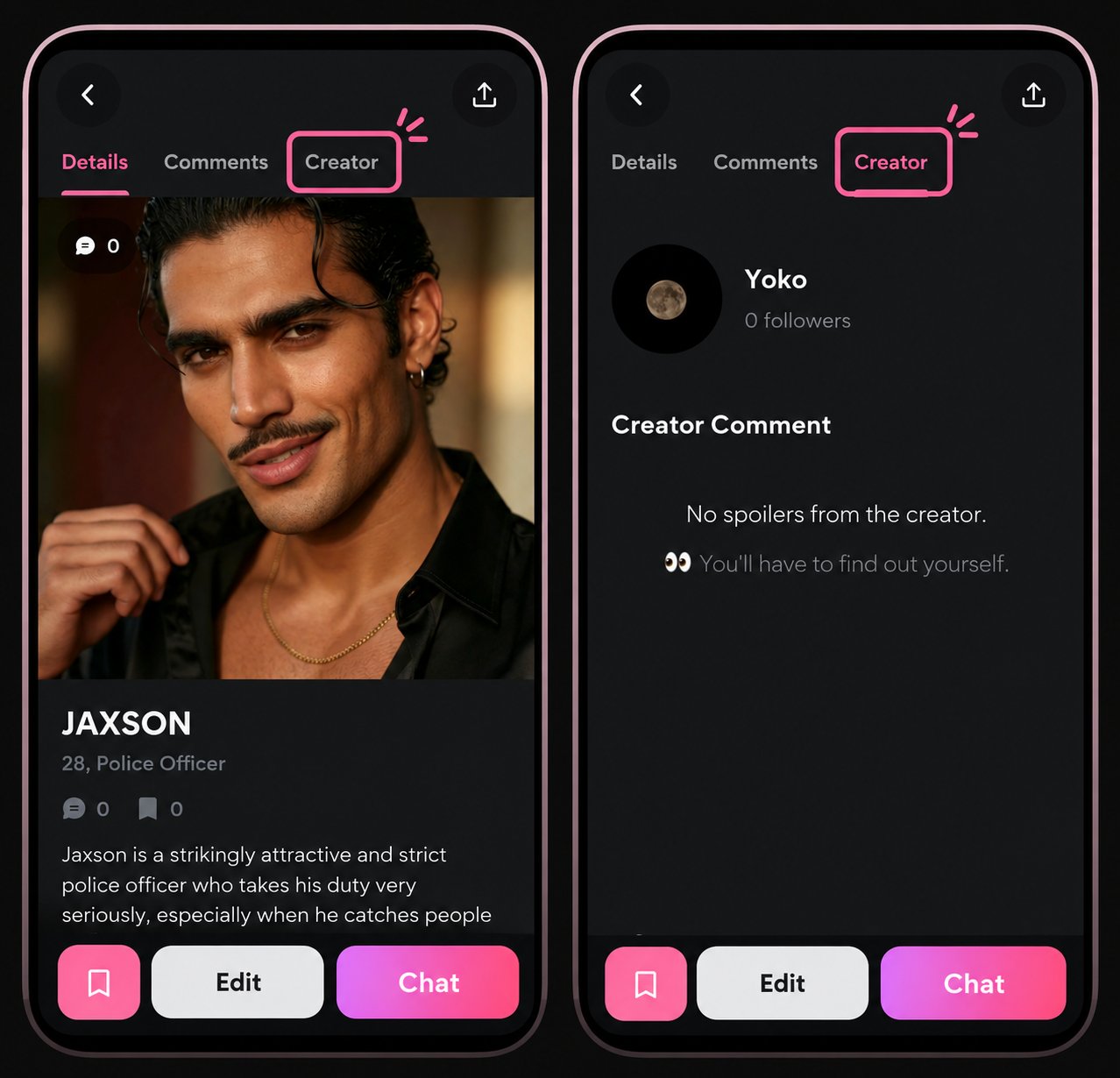
About the Creator Program
The Backstage Creator Program supports creators by helping their characters reach new users and providing opportunities to grow their creative presence.① Joining the Creator Program
The Creator Program currently operates on an invite-only basis, with the Backstage team proactively reaching out to creators to offer participation. However, creators who would like to join can also contact the team through our official Discord community to express their interest.Invitation or Participation Inquiry
Account Verification
How to Find Your Account Email
How to Find Your Account Email
- Log in to Backstage Chat.
- Go to Settings.
- Select My Profile.
- Copy the email address displayed below your nickname.
- Send the copied email address to the Backstage team.
Premium Trial
Character Publication & Participation Confirmation
After Joining the Program
② Creator Program Benefits
Free Premium Access
Invited creators can receive complimentary Premium access as part of the Creator Program.- One week of free Premium access upon invitation.
- An additional month of free Premium access after publishing at least one character and confirming participation during the trial period.
- Additional Premium access may be provided following discussions with creators based on their activities.
In-App Character Placement
Characters participating in the Creator Program receive priority consideration for placement in major promotional sections within Backstage Chat. New characters are primarily introduced through:- Main Home — NEW
- Explore — NEW
- Featured
- Worth to Try
- Other recommendation sections suited to the character’s characteristics
Selection Criteria
- Character quality and completeness
- Content suitability
- Creator activity
- User engagement and popularity
- Platform operating conditions
Official Social Media & Community Promotion
Selected creators and characters may be introduced through Backstage’s official social media accounts, Discord community, and other official community channels.Information Used for Promotion
- Creator name and public profile
- Character name
- Published character images
- Public character descriptions and other information
Episode Content & Derivative Works
Backstage Chat connects Episodes with Character Chat to help users discover characters and immerse themselves in their stories. Users can first experience a character’s background and relationships through a short Episode, then continue their own story by chatting directly with that character. Suitable characters participating in the Creator Program may receive additional exposure through Episode content. As Backstage continues to grow, we are also exploring additional benefits and opportunities to support creators.Creator Guidelines
Content Rules & Creator Responsibilities
- Non-consensual sexual content (non-con) is not permitted.
- However, excessively graphic gore, prolonged torture, or extreme sadistic violence should be restricted.
- Profanity and adult language may be permitted, but must not involve hate speech targeting real individuals or protected groups, targeted harassment, or credible threats.
- Romantic tension, sexually suggestive dialogue, intimate scenes, and implied sexual situations may be permitted.
- However, content that depicts sexual acts, genitals, or sexual body parts in excessively explicit and detailed ways should be restricted.
- Consent in sexual interactions must be freely given, and characters must be able to refuse or stop without fear, coercion, or negative consequences.
- Sexual content involving minors or characters whose ages are unclear, sexual coercion, exploitation, and other content that violates applicable laws or Backstage Chat policies is not permitted.
- Creators must also possess the necessary rights to all content they upload.
- Content that infringes third-party copyrights, trademarks, or other intellectual property rights may be changed from public to private, have its visibility restricted, or be removed.
Content Review & Restrictions
Backstage Chat review creator content to determine whether it complies with these Creator Terms, the Terms of Service, content policies, and applicable laws.Creator FAQ
Can I earn revenue through the Creator Program?
Can I earn revenue through the Creator Program?
Can I publish characters that I already use on other platforms?
Can I publish characters that I already use on other platforms?
Can I automatically import characters from another platform?
Can I automatically import characters from another platform?
Will I lose ownership of my characters if I publish them on Backstage?
Will I lose ownership of my characters if I publish them on Backstage?
Will my uploaded characters be used to train AI models?
Will my uploaded characters be used to train AI models?
- Providing character features
- Operating AI conversation features
- Safety management
- Content review and moderation
- Improving service quality and stability
Can characters remember previous conversations?
Can characters remember previous conversations?
Can I leave the Creator Program?
Can I leave the Creator Program?
Which countries and languages does Backstage Chat support?
Which countries and languages does Backstage Chat support?